
Install
Put PepStepper on your home screen
There is no App Store download. PepStepper installs straight from the browser — it takes about fifteen seconds, and afterwards it behaves like any other app on your phone.
What it looks like on an iPhone
Three taps, in Safari. Android and desktop are covered above.
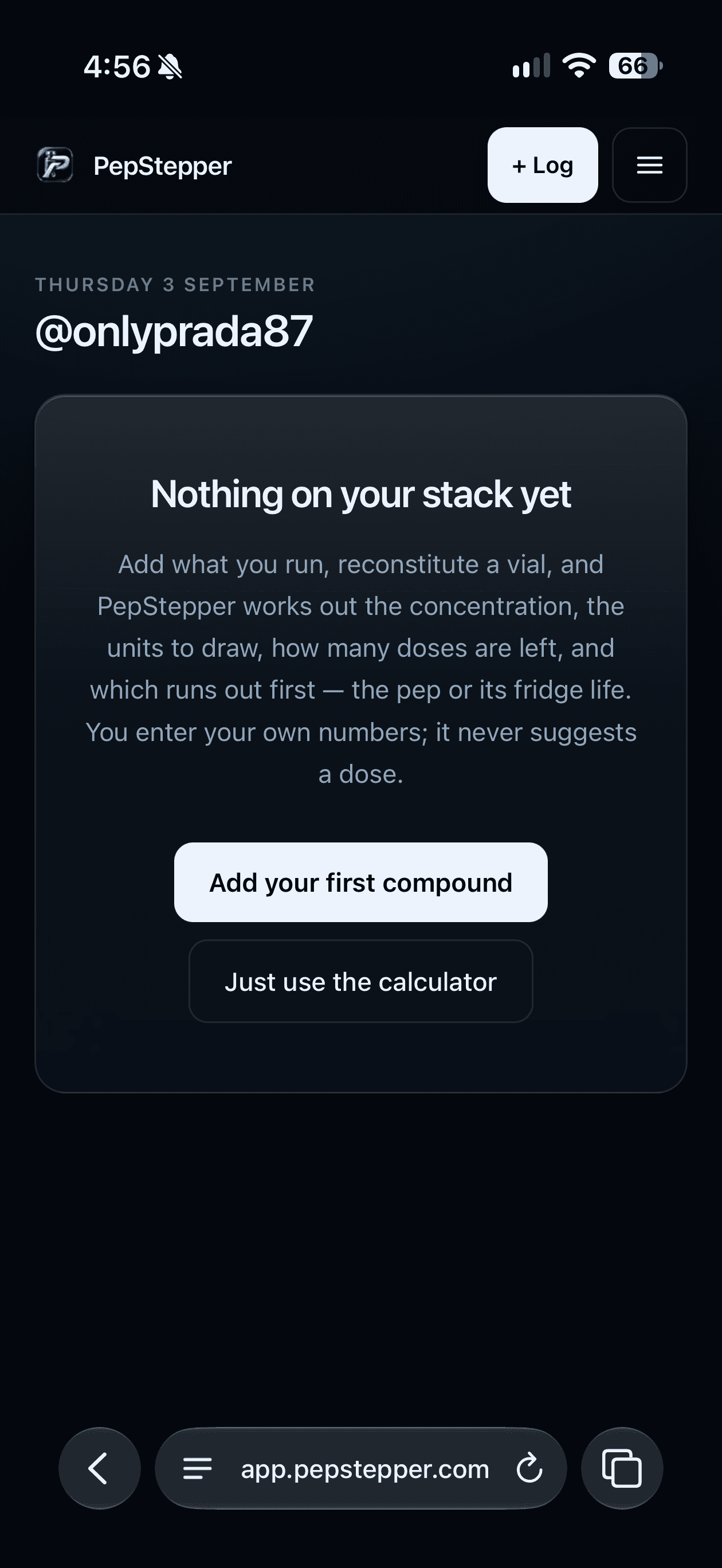
1Open the app in Safari 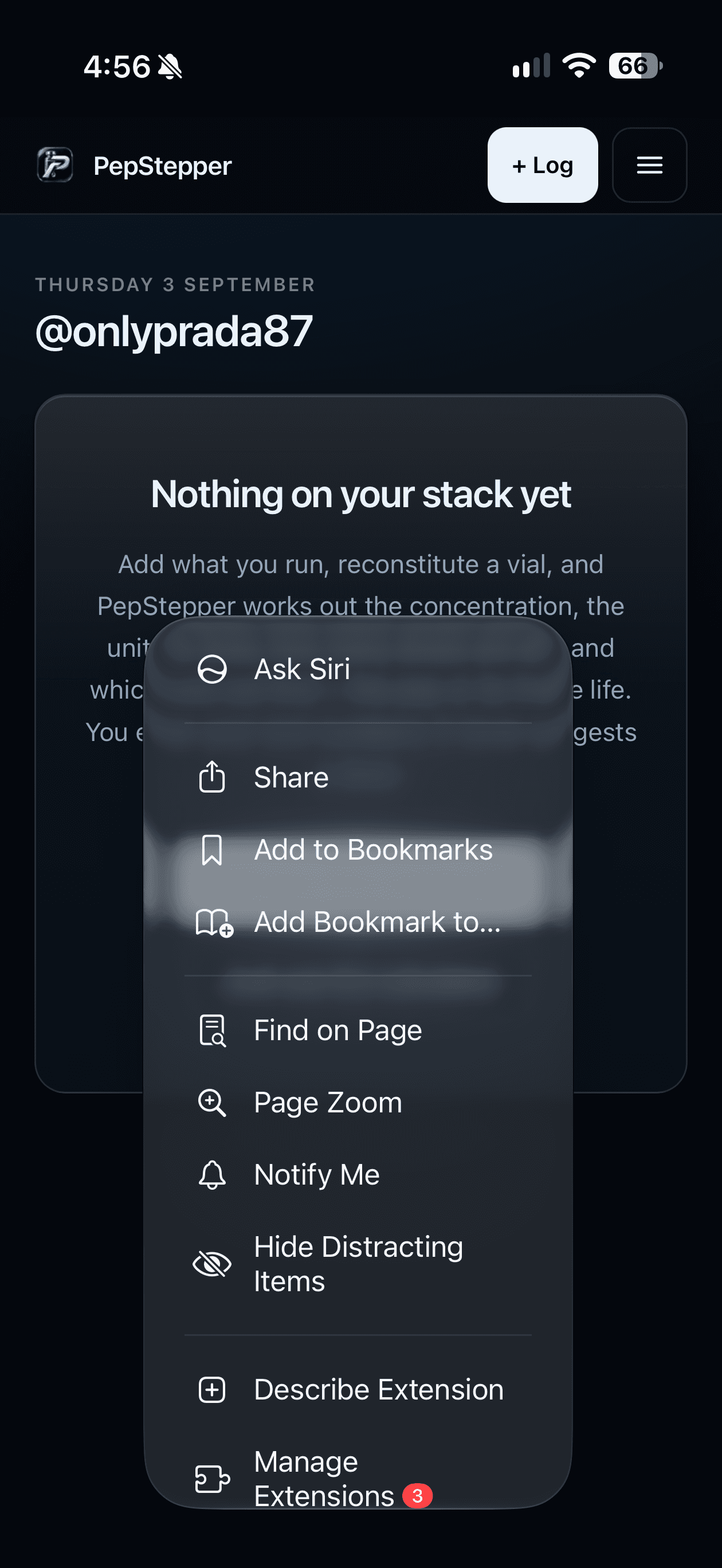
2Tap the menu button then Share 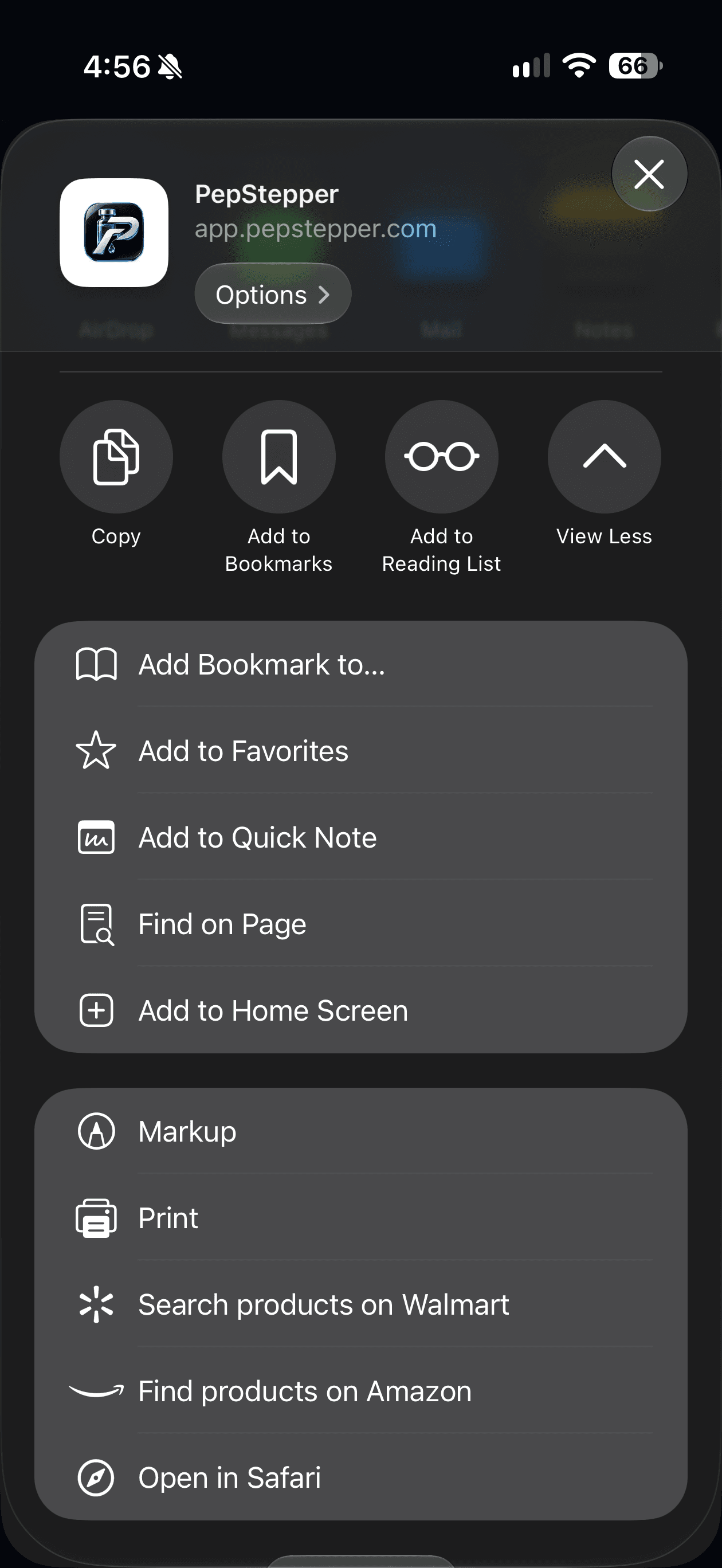
3Scroll to Add to Home Screen 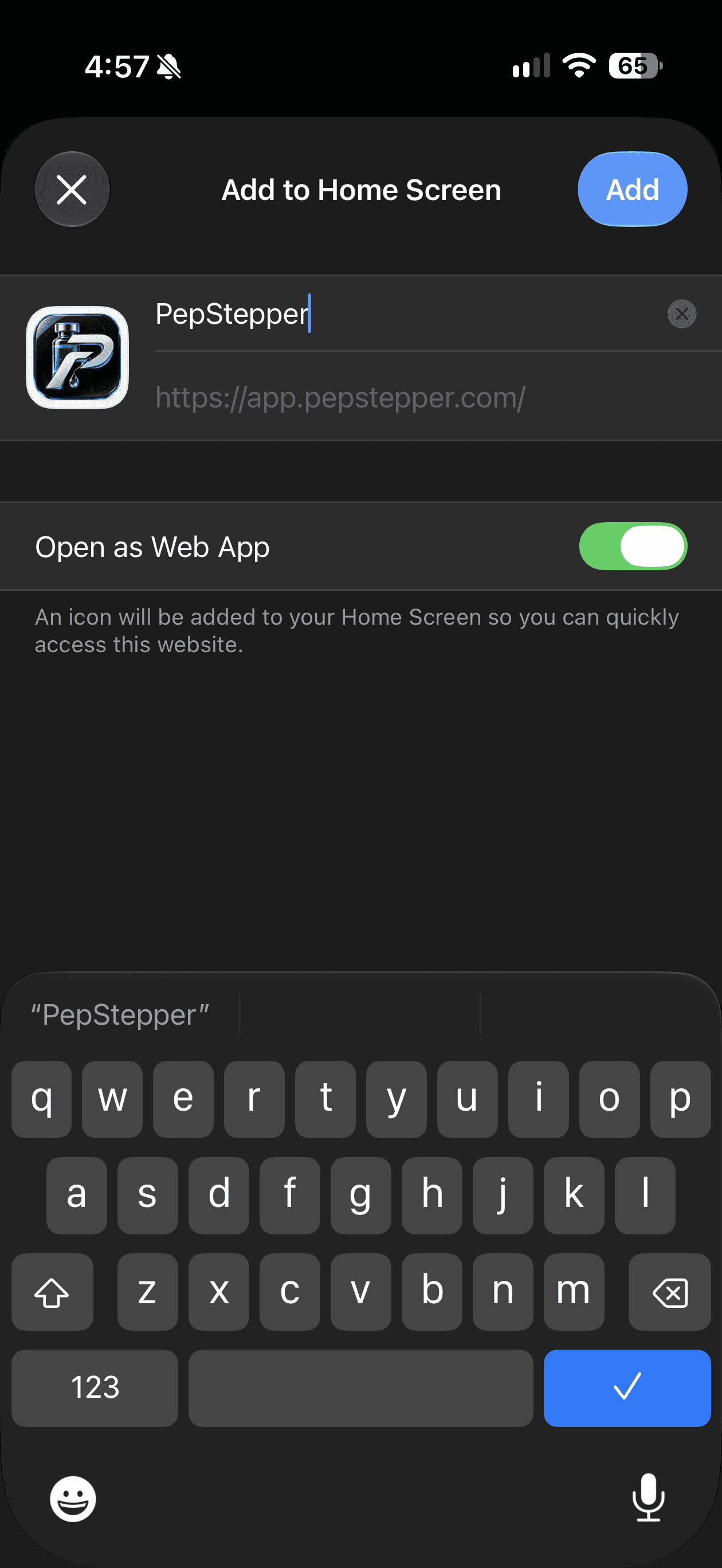
4Tap Add 
5Open it from your new icon
Why bother
- Dose reminders. iOS only allows notifications for an installed app. In a browser tab it refuses without even asking.
- It stays signed in. No logging back in every time you want to record a dose.
- Full screen. No address bar eating the top of a screen you are reading numbers off.
Is this a real app or a shortcut?
It is a progressive web app: a real installed application that happens to be built with the web rather than shipped through a store. It gets its own icon, its own window and its own notifications. It also means updates arrive on their own, and nothing about your log ever passes through Apple or Google.